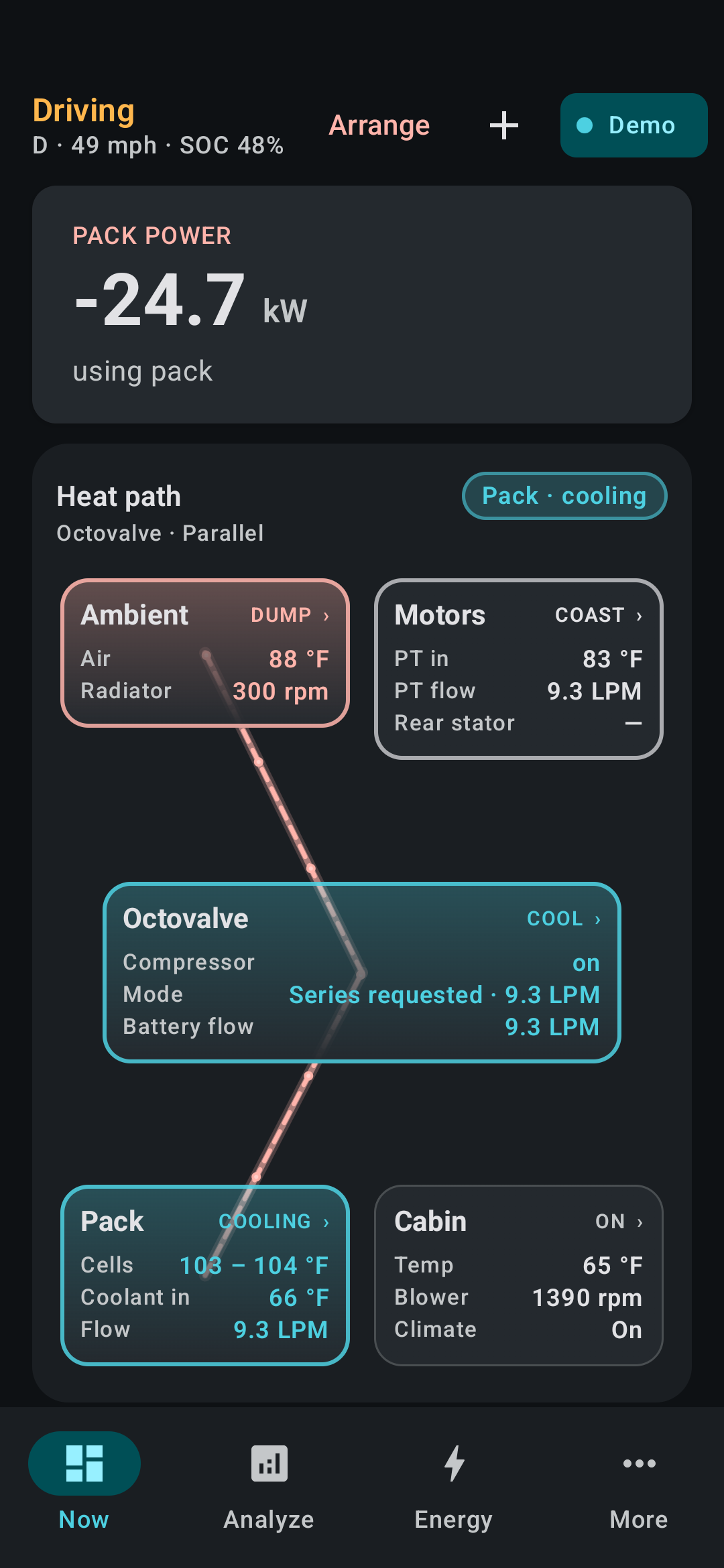
Now
Park, drive, and charge each get a different hero. Heat Path sits on the board — Superbottle/PTC vs Octovalve as two different cars. Climate COP, when it shows, is labeled est.
Scan My Tesla is the kitchen-sink CAN dashboard. TeslaSleuth is the screen you leave up: one Now board, then Heat Path and Energy when you care where the watts went.
Park, drive, and charge each get a different hero. Heat Path sits on the board — Superbottle/PTC vs Octovalve as two different cars. Climate COP, when it shows, is labeled est.
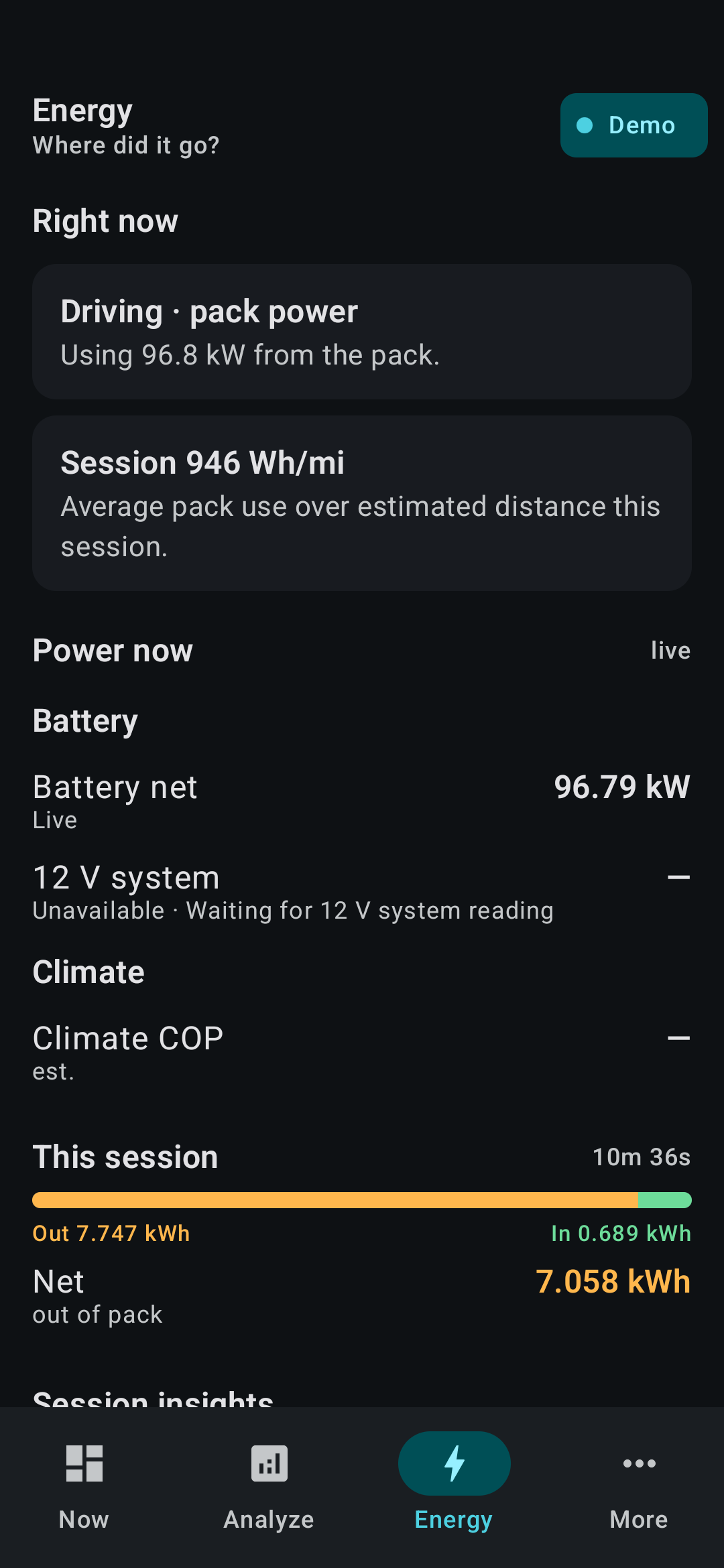
Where the watts went this session. Optional CSV if you’re hunting a ghost. Stays on the phone.
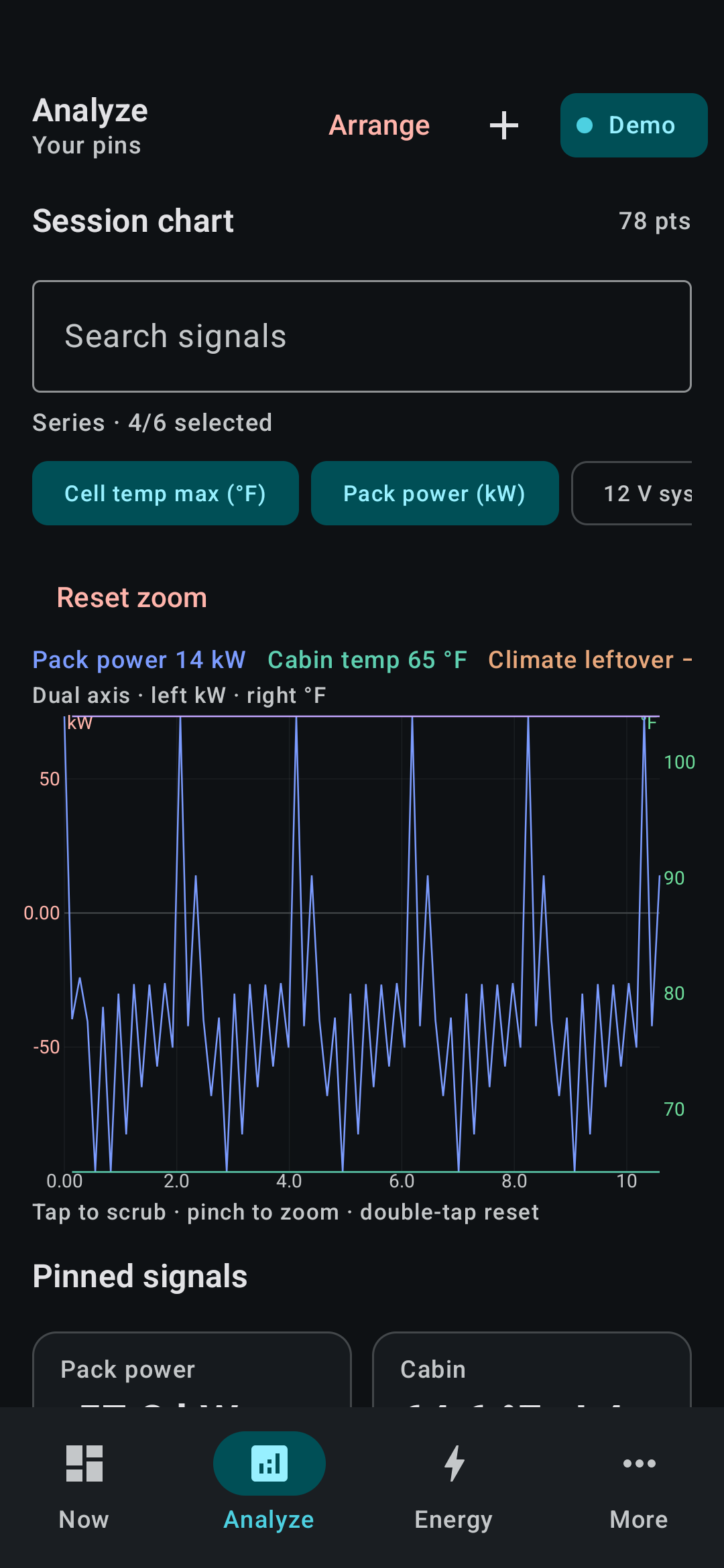
Pins and charts. Rearrange if you want. Demo is a 15-second loop so you can try this before hardware.
Meant to sit through a drive or an L2. Glance at Maps, come back — Live stays up. Quiet park lets go when you’re just sitting there.
TeslaSleuth talks to Commander on local Wi‑Fi. The phone keeps LTE, so Maps still works. If you run a VPN, exclude TeslaSleuth so that local hop can land.
Paid app. No TeslaSleuth login. Export only when you share.
A lot of us already have SMT. TeslaSleuth is the energy and heat story you can actually leave on screen.
| TeslaSleuth | Scan My Tesla | Tesla app | |
|---|---|---|---|
| Job | Explain energy and heat live | All the CAN you can eat | Remote the car |
| Live session | Built to stay up on a drive or charge | Great logging companion | Cloud, not the bus |
| Commander | Wi‑Fi to the box, phone still online | Also speaks Commander | — |
| Heat | Superbottle vs Octovalve Heat Path | You read the signals | Almost none |
| Control | Read-only | Read-only | Yes |